The missed call at 4:47 p.m. is rarely just a missed call. For a home service business, it can turn into a lost estimate, an empty spot on tomorrow’s schedule, and a customer who books with the company that replied first. That is why choosing the right crm for home service companies is not really a software decision alone. It is an operations decision.
Most home service teams do not struggle because they lack hustle. They struggle because their lead handling, dispatch communication, appointment reminders, invoicing, and review follow-up live in different places. One person is texting from a cell phone, another is updating a spreadsheet, and someone else is trying to remember which estimates still need a callback. When that happens, revenue leaks out in small, expensive ways.
What a CRM for home service companies should actually do
A lot of platforms call themselves a CRM, but for home service operators, a contact database is only the starting point. If your business depends on inbound inquiries, scheduled visits, technician communication, and repeat service, the system has to support the full customer journey.
That starts with lead capture. Whether the customer comes in through a web form, a phone inquiry, a text, or a social message, the record should land in one place and trigger the right next action. If someone requests service after hours, they should not sit untouched until the office opens and someone remembers to look.
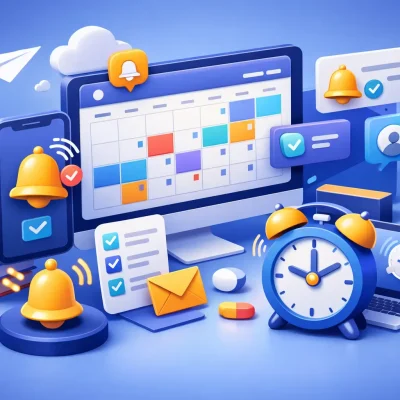
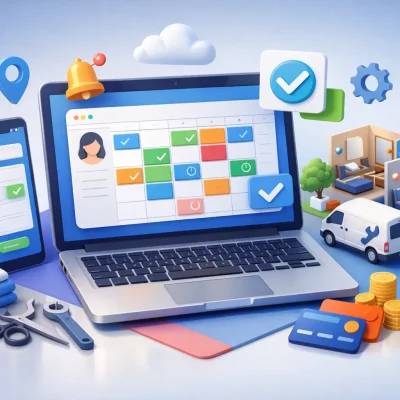
Then there is scheduling. A CRM for this market needs to do more than store notes. It should support booked appointments, confirmations, reminders, and status updates so the office and field team are not working from different versions of the truth. If your scheduler has to re-enter the same customer information into multiple tools, the system is already costing you time.
Follow-up is where many businesses either grow or stall. Some jobs close in one call. Others need an estimate, a reminder, a check-in, and a review request after service. A usable CRM should automate that routine communication without making it feel cold or generic. It should help you respond faster, stay consistent, and keep jobs moving.
Why generic CRMs often break down in the field
A generic CRM can look impressive during a demo because it has dashboards, pipelines, and lots of customization. But home service work is not won on dashboards alone. It is won by speed, organization, and repeatable communication.
The problem with horizontal software is that it often assumes a longer sales cycle and a more office-based workflow. A plumbing company, HVAC contractor, electrician, cleaning service, or pest control operator works differently. You need quick intake, fast routing, appointment coordination, technician visibility, and simple follow-up that staff can actually use during a busy day.
Too much customization is not always a benefit. If you need weeks of setup before your team can send reminders, track estimates, or request reviews, that tool may be better suited for a different type of business. The best CRM for home service companies usually feels operational from day one. It helps the team answer leads, book work, and keep communication organized without building a mini software project first.
The real business case for a CRM for home service companies
If you are evaluating software, it helps to stop thinking in terms of features and look at operational drag. Where are jobs slipping through? Where are staff wasting time? Where are customers getting an inconsistent experience?
In most home service businesses, the friction points are predictable. Leads come in and no one follows up quickly enough. Appointments are booked but confirmations do not go out. Technicians finish work, but no one asks for reviews. Estimates are sent, then forgotten. Payment conversations happen late instead of being built into the workflow.
A CRM should tighten those gaps. Better response time improves lead conversion. Automated reminders reduce no-shows and late cancellations. Centralized communication keeps staff from chasing texts across personal devices. Review requests go out on time, which improves local reputation. Repeat service opportunities become easier to manage because the customer history is already there.
These gains may sound incremental, but for a growing operation, they stack up quickly. A few more booked jobs per week, fewer missed inquiries, and a steadier follow-up process can change monthly revenue without increasing ad spend.
What to look for before you buy
The strongest systems for this market combine customer management with communication and workflow execution. That combination matters because disconnected tools are usually the root problem.
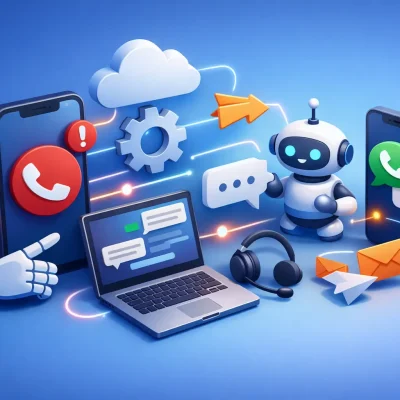
Start with communications. Your CRM should support text, email, and ideally call-related activity in a way that keeps the conversation attached to the customer record. That gives your office team context immediately. If a homeowner replies to a reminder or asks to reschedule, the message should not disappear into someone’s personal inbox.
Next, look at automation. This is where many businesses recover time. New lead acknowledgment, estimate follow-up, appointment reminders, post-job thank-yous, payment reminders, and review requests should not all depend on manual effort. Automation does not replace good service. It protects consistency when the day gets busy.
Scheduling and booking tools also matter. Some businesses need simple appointment booking. Others need a more structured workflow with recurring visits, route coordination, or multiple service stages. The right fit depends on your operation, but if the CRM does not support how work gets booked and completed, it will become a side system instead of the system.
You should also pay attention to usability. A home service CRM fails when the owner likes the reports but the team avoids using it. Front office staff need speed. Field staff need clarity. Managers need visibility. If the platform is hard to navigate or takes too many clicks to complete basic tasks, adoption will suffer.
One system beats five disconnected apps
Many small and midsize service companies reach a point where they are running on a patchwork stack: one tool for leads, another for scheduling, another for texting, another for payments, and another for review requests. That setup can work for a while, but the hidden cost is coordination.
Every handoff creates delay and room for error. Customer information gets duplicated. Notes are incomplete. Follow-up depends on memory. Reporting becomes unreliable because no one system shows what actually happened from inquiry to completed job.
That is why consolidation matters. When your CRM also supports messaging, automations, reminders, reviews, and customer activity tracking, your team spends less time stitching processes together. They can focus on responding, booking, and servicing customers.
For service businesses that are outgrowing spreadsheets and isolated tools, platforms built around engagement and operations tend to deliver better day-to-day value than software that only stores contacts. This is where a system like ResQEngage fits naturally, especially for teams that need lead management, scheduling, follow-up, payment communication, and reputation management working together instead of separately.
It depends on your business model
Not every home service company needs the exact same CRM setup. A business doing mostly one-time emergency jobs will prioritize rapid response and scheduling speed. A company built around maintenance plans or recurring service will care more about retention workflows, reminders, and renewal communication. A multi-tech operation may need more structure around team coordination than an owner-operator business.
That is why the right question is not just, which CRM has the most features? The better question is, which CRM matches how we sell, schedule, communicate, and get paid?
If your biggest issue is missed leads, prioritize lead routing and instant follow-up. If no-shows and reschedules are hurting margin, focus on reminders and confirmation workflows. If your team is drowning in admin, look for stronger automation and a cleaner all-in-one setup. Good software should solve the bottleneck you actually have, not the one a sales demo highlights.
The best CRM for home service companies creates control
Control is the real outcome most owners are after. Not more software. Not more reports. Control over lead response, appointment flow, customer communication, and follow-up after the job is done.
When that control is in place, the business gets easier to run. Staff know what happens next. Customers get timely updates. Estimates do not sit untouched. Reviews are requested consistently. Return business becomes more predictable because no one is starting from scratch each time a customer comes back.
The best crm for home service companies gives you that structure without adding friction. It helps you run a tighter operation, protect more revenue, and deliver a more professional customer experience at the same time.
If your current setup still depends on sticky notes, disconnected apps, and whoever remembers to follow up, that is your signal. The right system should not make your business feel more complicated. It should make the next job easier to win, easier to manage, and easier to turn into the next one.